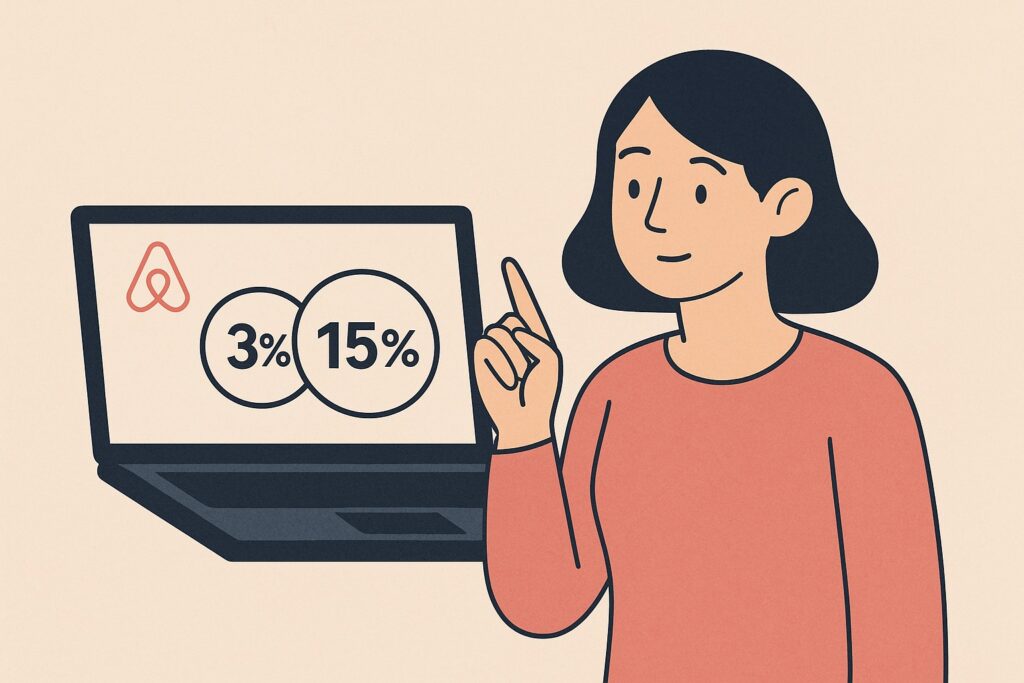
A simple guide for Airbnb hosts confused by the host-only fee announcement
If you’re an Airbnb host and recently heard about Airbnb’s “host-only fee” change, you might be wondering:
- “Am I still paying the 3% Airbnb host fee?”
- “Did Airbnb switch me to the 15.5% host-only fee without telling me?”
- “Where can I see which fee model I’m using?”
- “How do I check Airbnb service fees on my account?”
This guide gives the exact steps to find out which fee model you’re on — even if Airbnb’s announcement left you confused.
⭐ Quick Answer: How to See Which Airbnb Service Fee You’re Being Charged
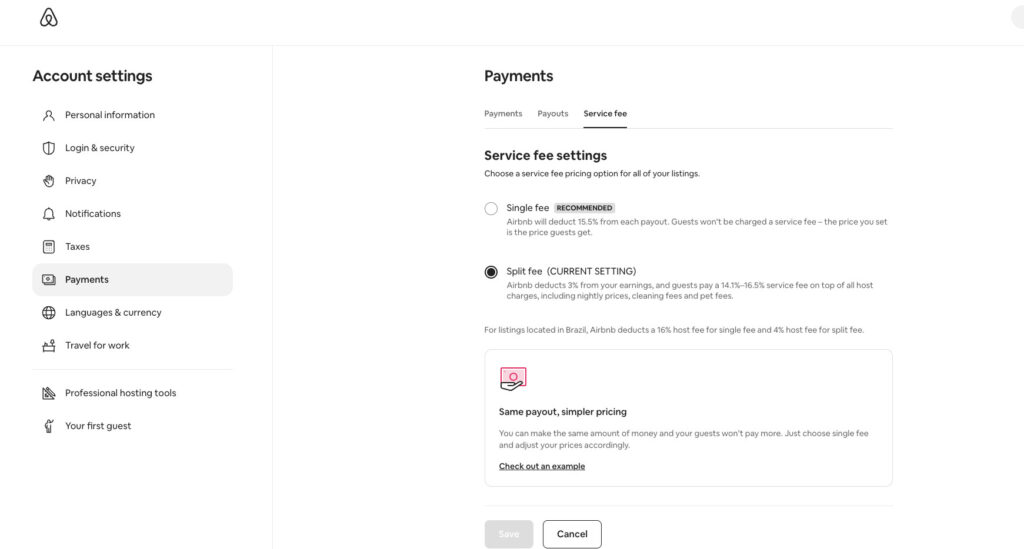
If you manage your listing directly on Airbnb (not through a PMS), you can check your service fee here:
Account → Payments → Service fee
You will see:

- Single fee (15.5%) → Host-only fee
- Split fee (3% host fee + guest service fee) → The classic model
The one labeled “CURRENT SETTING” is the fee model you’re using.
If “Split fee (CURRENT SETTING)” is selected → You are still paying 3%.
🔍 Why Hosts Are Confused Right Now
After Airbnb announced they were expanding the host-only fee, many hosts assumed all accounts would be switched to the 15.5% fee.
But here’s what’s actually happening:
- Hosts using a PMS were automatically moved to the host-only fee.
- Hosts who manage their listings directly often still have both options and are still on the 3% split fee unless they manually switch.
This means not all hosts were changed — but many aren’t sure where to check.
🧭 How to Check Your Airbnb Service Fee Model (Step-by-Step)
Here’s the exact path:
1. Log in to Airbnb
2. Go to: Account → Payments → Service fee
On this screen you’ll see two options:
Option 1: Single fee (15.5%)
Airbnb takes 15.5% from your payout; guests pay no Airbnb fee.
Option 2: Split fee (3%) — CURRENT SETTING
Airbnb deducts 3% from your payout; guests pay Airbnb’s fee on top of the price.
Whichever option says “CURRENT SETTING” is the fee you’re paying.
This is the clearest, most reliable way for direct hosts to check their fee model.
🧪 Double Check With a Payout (The Most Accurate Method)
If you want to confirm 100%, check your most recent payout:
Menu → Earnings → Payouts → Open any booking
Look at the line Host service fee.
- Around 3%? → You are on the split-fee model.
- Around 15–15.5%? → You are on the host-only fee model.
This method works even if Airbnb changes their interface later.
🧩 What If You Don’t See the Service Fee Page?
This usually means:
You are connected to a PMS or channel manager.
In that case:
- Airbnb automatically puts you on the host-only fee.
- The Service fee menu disappears.
- You must check your payouts to confirm the 15.5% deduction.
🗺️ Summary
- How do I check what Airbnb fee I’m paying? → Go to Account → Payments → Service fee or check your payout.
- Where can I see Airbnb host service fee in my dashboard? → Under Payments → Service fee.
- How to know if I’m on split fee or host-only fee? → Split = 3% in your payout. Host-only = ~15.5%.
- Did Airbnb switch me to host-only pricing? → Only PMS hosts were automatically moved. Direct hosts can see their current setting.
- Why is Airbnb taking 15% of my payout? → Your account is on the host-only fee model.
- How do I change the Airbnb service fee model? → You can switch between Split and Single fee in Account → Payments → Service fee, if Airbnb allows it in your region.
🧾 Final Takeaway for Hosts
You can always confirm your fee model in one of two ways:
1️⃣ Account → Payments → Service fee
Shows the current setting directly.
2️⃣ Check a payout
3% = split fee
15.5% = host-only fee
If you’re a direct Airbnb host, you’re still in control of your service fee model — and seeing the difference only takes 10 seconds.

Thibault Masson is a leading expert in vacation rental revenue management and dynamic pricing strategies. As Head of Product Marketing at PriceLabs and founder of Rental Scale-Up, Thibault empowers hosts and property managers with actionable insights and data-driven solutions. With over a decade managing luxury rentals in Bali and St. Barths, he is a sought-after industry speaker and prolific content creator, making complex topics simple for global audiences.