Hand a guest a disjointed welcome book, send a homeowner an off-brand monthly report, or post a mismatched social graphic, and it instantly reads as careless. Once clients or guests notice those visual inconsistencies, they immediately start wondering what other, more critical operational details your property management company is missing.
As more professional short-term rental managers turn to AI to speed up content creation, keeping everything flawlessly on-brand can feel impossible. But there’s a smart workaround: you can actually teach AI to act as your strict brand guardian.
Thibault Masson, Founder of RSU by PriceLabs and Head of Product Marketing at PriceLabs, walked through a fix for this in our webinar last month. He built a Claude Design Brand System: a saved set of brand rules that every document you create should follow.
Here’s how to build one yourself:
What a Brand Design System Is
A brand design system is a defined set of visual and verbal rules for a company, its logo, its exact colors and fonts, its photography style, and how it sounds when it talks to customers. It’s the same idea as a style guide, just built to be read by an AI tool instead of a designer.
For a property management company, the four pieces are:
- the logo file itself,
- the specific colors and fonts (not “blue,” but the exact hex code and font name),
- a set of photos that represent the property style,
- and a short description of the voice, formal, casual, warm, whatever it actually is.
Put together, those four pieces are the system. It’s not a document explaining your brand, it’s the brand’s actual components, saved in a form Claude can use directly.
How a Brand Design System Helps Create a Recognizable, Trusted Hospitality Brand
One person might catch a drifting color or font before it goes out. A five-person team generating a dozen assets a month won’t catch it every time, and the owner reading the report doesn’t see “we were rushed,” they just see the inconsistency.
That’s the gap a saved brand system closes, not by making any one person more careful, but by taking the color and font decision out of everyone’s hands after it’s set once.
It acts as your single source of truth for how your business looks, sounds, and feels across every guest touchpoint.
Here is how professional short-term rental managers can create their own within minutes:
Step 1: Collect Your Four Source Assets
Effort: ten minutes
Claude Design builds your brand system from four inputs:
- A screenshot of your website homepage. Claude reads this to pull your actual colors and fonts, not ones you remember or guess at.
- Your logo file. So it never gets stretched, recolored, or swapped for a generic placeholder.
- Three to five photos of your properties. Claude uses these to learn your visual style, whether that’s bright and airy or warm and moody.
- A short paragraph on your brand voice. A few sentences on how you talk to owners and guests: formal, casual, playful, whatever fits.
Step 2: Open Claude Design and Start a New Design System
Effort: two minutes
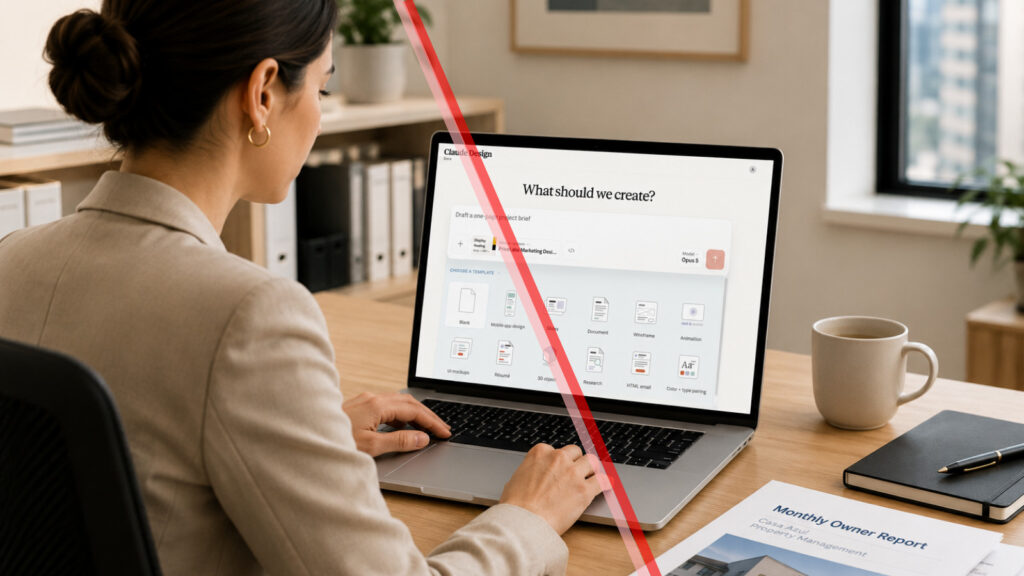
Open the Claude desktop app (works even in Chrome or Safari) and look for the ‘design’ icon in the toolbar. You will see a plus (+) icon in the chat space; click it to open the design systems prompt.
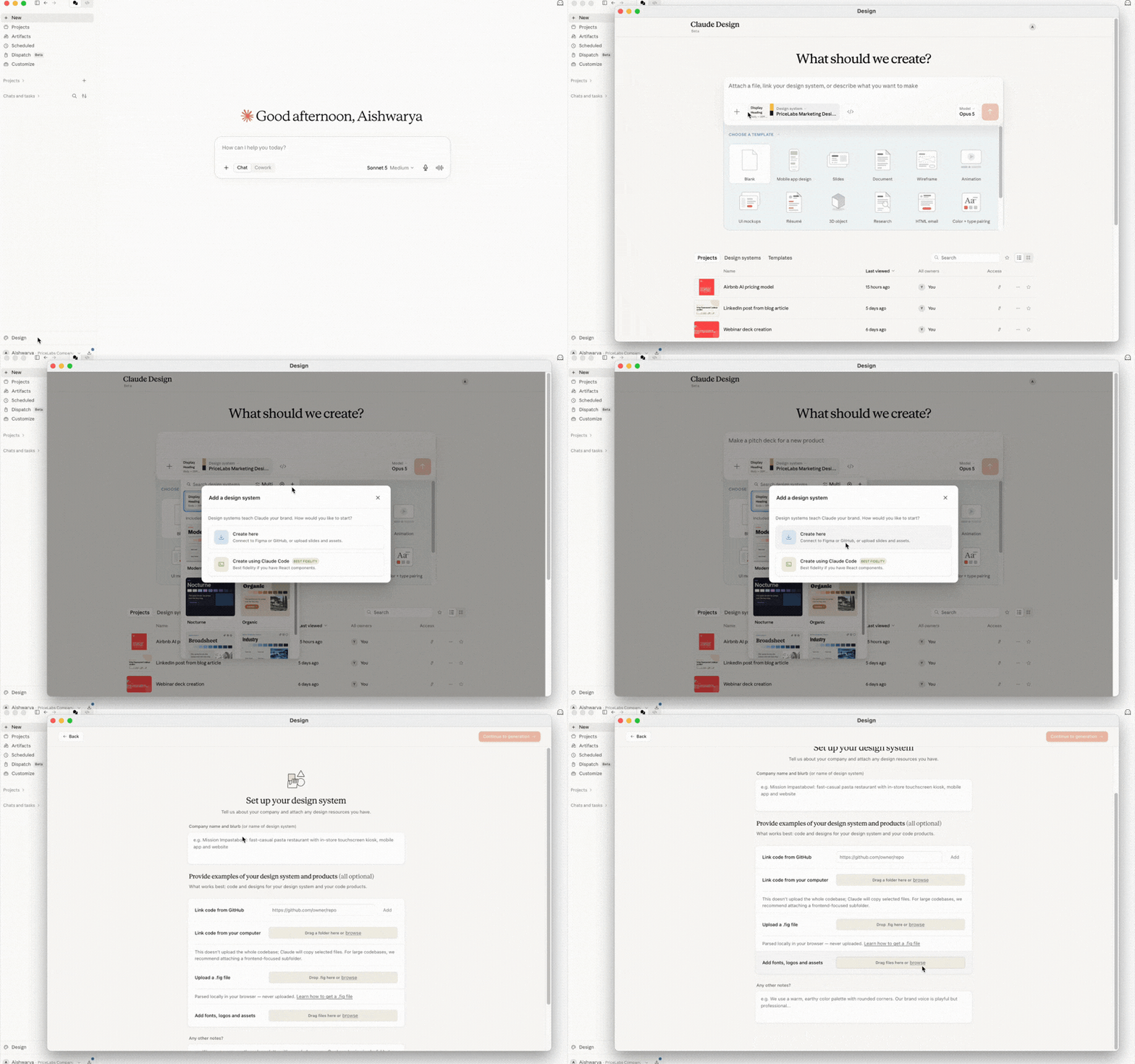
Go to design systems and choose to create one from scratch. Name it after your company. In the webinar demo, Thibault built one for a fictional company called Casa Azul to show the process.
Step 3: Upload Your Four Assets
Effort: five minutes. This is the only manual step.
Upload the website screenshot, logo, property photos, and brand voice paragraph from your template. After this, Claude generates everything on its own.
One tip from the webinar: prime Claude by telling it to act as a senior web designer before you build on top of the system. That pulls in design best practices Claude already knows, on top of the brand rules you’ve just given it.
Step 4: Let Claude Build Out the System
Effort: none, this runs on its own
Claude generates the full brand system from your four assets: title, copy assets, foundation (colors, fonts, spacing), components, a guest-facing website template, and a welcome sheet. In the webinar demo, this step picked up a detail nobody typed in. Thibault’s property photos consistently used warm, midday light, and Claude matched that tone in every design it generated afterward, unprompted.
Step 5: Test It With One Prompt
Effort: one prompt
In the demo, Thibault typed a single line into Claude Design: create an invite for a Saturday evening owner event. No color, no font, no logo mentioned.
Claude pulled all three from the saved brand system automatically, and asked only two follow-up questions: the exact date and the location, since those weren’t in the prompt. The finished invite came back in the same colors, the same font, and the same warm midday photo tone Claude had learned from the property photos.
That’s the time this saves. One prompt, one finished, on-brand piece, no back-and-forth with a design tool or a design team.
Step 6: Reuse the System for Every Asset After
Effort: none per use
Call on the system every time you create something new: an owner report, an event invite, a welcome sheet, a social graphic. Anyone on your team can call on the same system too if you have a team account, so everything stays consistent even when more than one person is producing assets.
Why it matters: brand consistency stops being a review step. Nobody has to catch the wrong shade of red before it goes to an owner, because the system never produces it in the first place.
Connect PriceLabs to Claude, ChatGPT, or Your Preferred AI Tool for On-Brand Dashboards
A brand system solves one half of the problem: how the asset looks. The other half is getting the right information into it. That’s where connecting your operational data to AI becomes useful.
If you use PriceLabs, pair this with PriceLabs’ MCP connector, a live data link that lets Claude, ChatGPT, or any other AI tool pull your PriceLabs data directly and turn it into a report. In the demo, Thibault asked Claude to build a dashboard for one property that updates regularly: bookings, how prices compared to the market, what was driving demand in the area, down to which countries guests were coming from. Paired with a brand system, the dashboard comes out on brand too, not just accurate.
The MCP connector is read-only for now. Editing prices or settings still has to happen back in PriceLabs, though a paid version with editable access is coming. Contact PriceLabs support if you want early access.
Do This Before Your Next Owner Report Is Due
- Today: fill in the brand guidelines template, then open Claude Design and build your system from it. Ten minutes, start to finish.
- Before your next owner report: connect PriceLabs‘ MCP connector to Claude (free during its current beta) and ask it to build a dashboard for one property covering bookings, market pricing, and demand drivers.
- If you want editable pricing through Claude, not just reporting: email PriceLabs support directly.
Once the system exists, every report, invite, or graphic you generate afterward comes out on brand by default. You stop spending time on formatting that has nothing to do with the actual work.

Related Articles:
 ChatGPT Ads Are Live and They’re Changing How Guests Find Vacation Rentals
 Landfolk acquires Danitalia, OpenAI unveils Operator, Savvy Launches a real-time price comparison tool
 Airbnb’s Fourth Pillar: How AI Became a Strategic Defense Against an AI Future
 Airbnb Is Still Bashing Hotels in Its Ads, While Adding Them to Its Platform