Property managers spend a huge amount of time answering questions: what’s the WiFi password? Can the guests check-in early? The AC has stopped working; what should I do? Who should I call?
None of these are difficult questions; you probably have an answer without a second thought. But your new hire doesn’t. Neither might the person covering the property tonight. So you keep getting the message; you keep digging up information that already exists.
It is annoying at 5 properties. At 50, it becomes an actual problem. Because sooner or later, someone suggests the wrong number, follows an old process, or calls the owner when they were supposed to call the maintenance vendor.
This is what we solved in a recent RSU by PriceLabs webinar. Uvika Wahi, Editor, RentalScale Up walked our audience through building what she called a “property brain” using a free AI tool: Google’s NotebookLM. You give it your documents, the house rules, check-in instructions, maintenance procedures, and vendor contacts, and your team can ask questions without actually hunting you down each time they need an answer.

NotebookLM, a free AI tool, only answers from your documents, never the open internet
Most AI chatbots, like ChatGPT, pull from everything they’ve ever learned. NotebookLM uses only the documents you upload. Give it your check-in steps, house rules, and maintenance contacts, and those are the only things it will ever answer from.
Ask a normal AI chatbot something like “where’s the nearest airport” and it will search the internet and give you an answer, right or wrong. Ask NotebookLM the same thing, and if that information isn’t in your documents, it will simply tell you it doesn’t know.
For a property manager, that’s a good thing. You get to decide what counts as the right answer, and the tool won’t make anything up beyond that.
Read more: AI Agents for Property Managers: Build Your Own in Five Levels
Documents to start with: property overview, check-in steps, house rules
You can start with these documents:
- A property overview: address, number of bedrooms and bathrooms, smoking policy, how many guests it sleeps, kitchen equipment
- Check-in and checkout steps: keys, access, a checklist to run before guests arrive
- House rules: early check-in, late checkout, maximum number of guests, quiet hours
These files can sit in Google Drive or just on your computer.
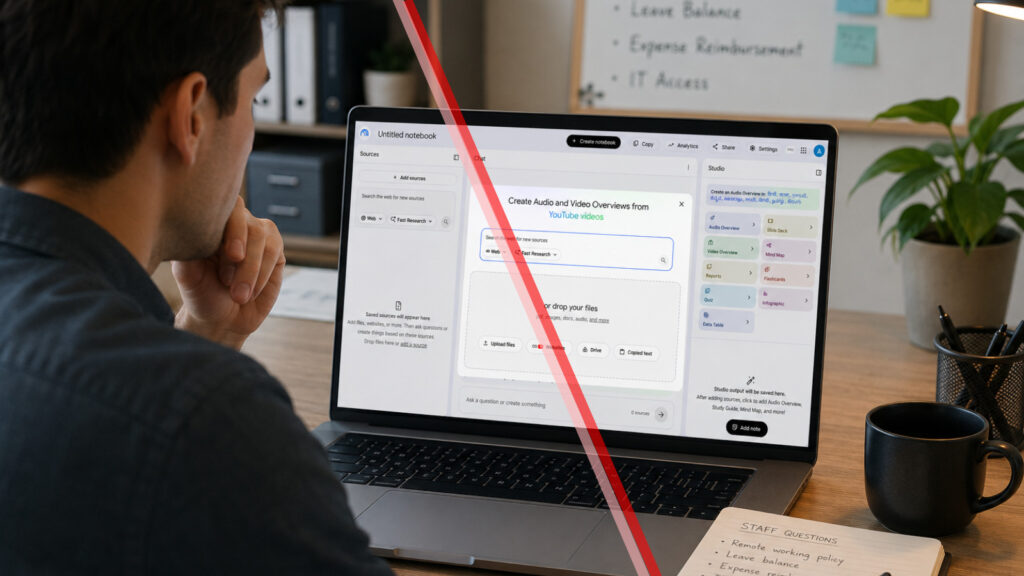
To set it up, go to notebooklm.google.com, create a new notebook, and add a source.
You can point it at a website too, but the demo skipped that on purpose, so the tool would only look at the uploaded files and nothing else. Instead, it pointed NotebookLM at one Drive folder holding all the property documents.
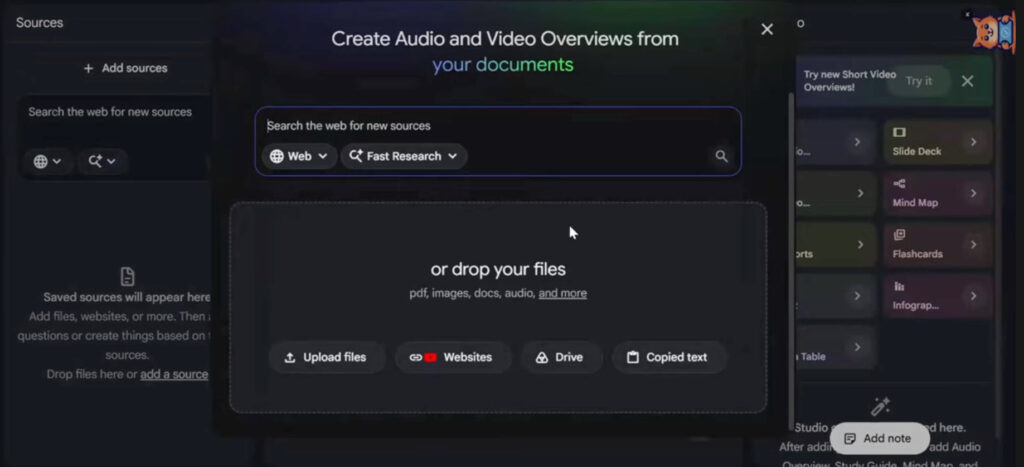
Once the files are uploaded, NotebookLM reads them and automatically names the notebook. In the demo, it named itself “Blue Horizon House: comprehensive management and guest operations manual.”
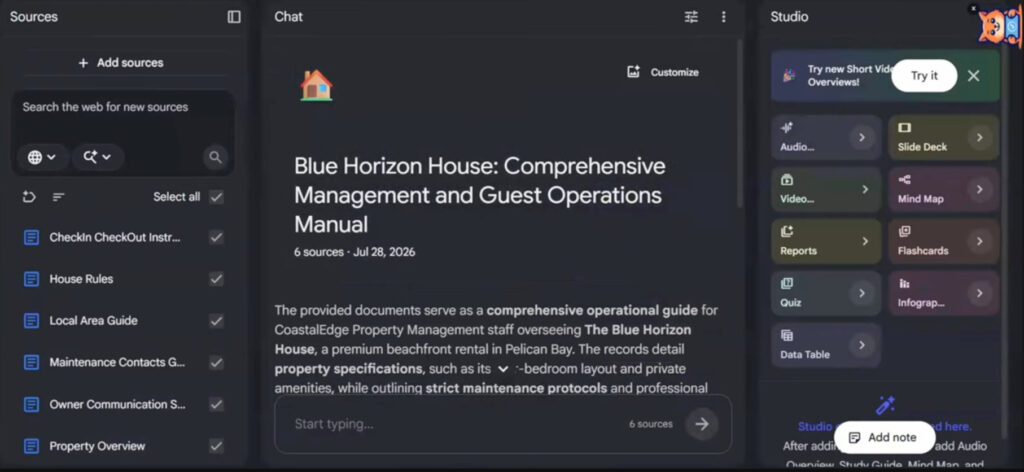
You can rename it to anything simpler. If you manage more than one property, you don’t need a separate notebook for each one. A single notebook can hold documents for your entire portfolio, and NotebookLM will answer based on the right property using context clues in your question. Splitting notebooks by property, region, or team is an option if that fits how your team works, not a requirement.
Now you have a notebook that can answer any question covered in those files, things like check-in times, house rules, local tips, or what to do about maintenance.
Tested live: how this AI tool handles a broken AC and a $300 repair approval
The demo tried two real situations any property manager will recognize.
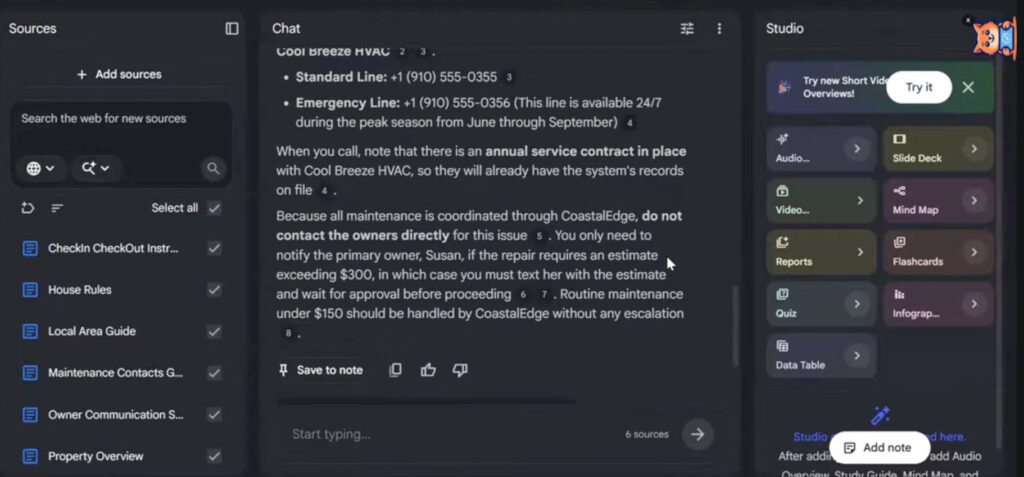
The AC stops working. Asked what to do, the notebook walked through basic troubleshooting steps first: check the thermostat, the breaker box, the batteries. If none of that works, it named the exact vendor to call, along with their regular and emergency numbers. It also mentioned there’s already a service contract with that vendor, so whoever calls knows the account is on file. And it said what not to do too: don’t call the property owner directly, since a vendor already handles maintenance.
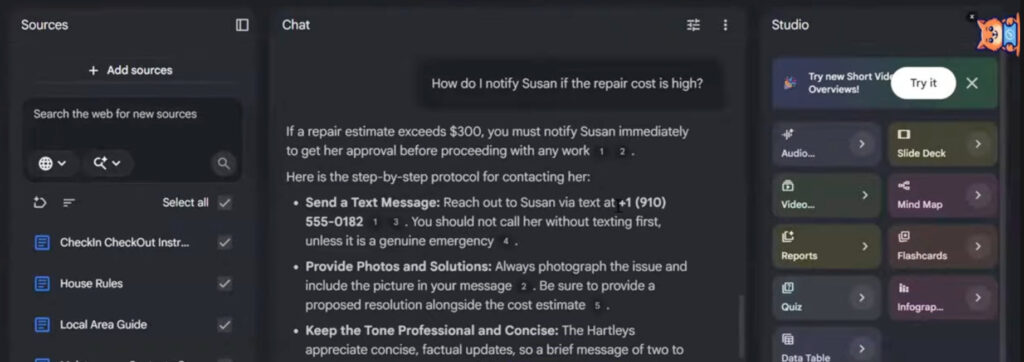
A repair costs too much. A follow-up question asked how to notify the owner, Susan, if a repair estimate comes in high. The notebook gave the exact number, $300, above which she needs to approve the repair first. It also explained what to say and when to send the message.
Both answers came straight from the uploaded documents. Nothing was made up. To prove the point, the demo also asked the notebook something it couldn’t know: the nearest airport. Since that wasn’t in any of the files, NotebookLM said it didn’t have that information, instead of guessing or searching online for it. That’s actually useful. If you want every team member following the exact same rules, you don’t want the tool improvising when it doesn’t know something.
Give the AI tool your property’s information and share it with your team like any Drive link
This isn’t limited to one property or a few documents. If you manage dozens of properties, you can add all of them to one notebook and ask questions across your whole portfolio. Or split things into separate notebooks by property, region, or team, whatever makes sense for how you work.
Once it’s built, sharing it is as easy as sharing any other Drive file. Add your team members and send them the link. Now anyone on the ground, a new hire or a maintenance contractor, has the same answers you do, without needing to call you first.
One thing worth knowing: some property management systems already offer something like this built in. If yours doesn’t, or you want a lighter option to run alongside it, building a property brain in NotebookLM takes far less effort than rolling out a new system, and it works with documents you probably already have sitting in a folder somewhere.
If you’re looking for more ways AI can save you time, check out RSU’s AI marketing playbook for property managers and this roundup of AI tools that help managers do more with less.

Related Articles:
 Airbnb Launches Co-Host Marketplace in Japan, Vrbo to Delist Poor Listings, Booking.com Bets Big on India and AI
 OwnerRez Integrates With Right to Rent Collaborative, NYC Tenants Protest Intro 1107 Bill, and Pass the Keys Adopts AI Messaging
 AI in Vacation Rentals: Build Your Own AI or Wait for Your PMS?
 AI for Owner Acquisition: How Property Managers Can Now Find and Sign Owners Faster